







































Winshark Casino review
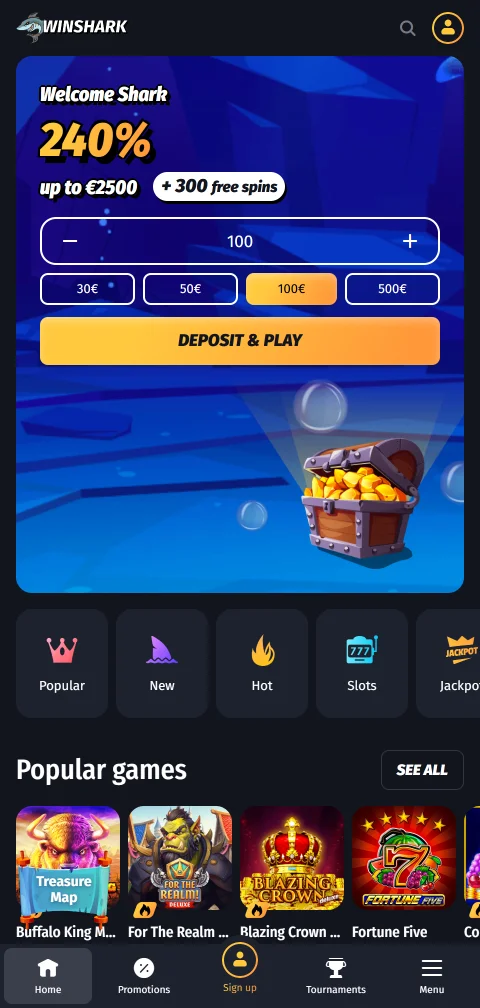
Editor's Choice| Key Feature | 10,000+ games with 100-level VIP club |
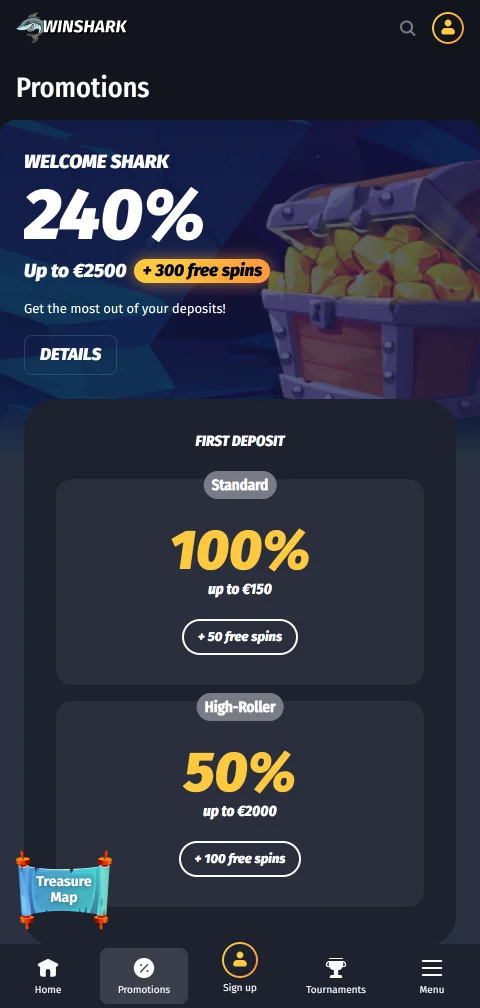
| Welcome Bonus | 100% up to C$970 + 250 free spins |
| Min. Deposit | C$10 |
| Number of Games | 10,000+ games |
| Game Providers | Pragmatic Play, Play'n GO, Hacksaw Gaming, Games Global, NetEnt, Evolution |
| Payment Methods | Interac, cards, e-wallets, crypto, prepaid |
| Payment Services | Interac, Visa, Mastercard, Skrill, Neteller, MuchBetter, Neosurf, Bitcoin |
| Mobile App | Browser and PWA; no native iOS or Android app |
| VIP Program | 100 levels, five ranks, up to 15% cashback |
| RTP | around 96% average RTP |
| License | Curacao GCB, OGL/2024/589/0556 |
| Operator | GBL Solutions N.V. |
| Launch Date | 2024 |
| Legal Age | 18+ |

- Verified library of over 10,000 games from 100-plus providers.
- Welcome offer of 100% up to C$970 plus 250 free spins.
- Interac e-Transfer, cards, e-wallets, and crypto all supported for Canada.
- Browser and PWA access with no forced native download.
- Licensed by the Curacao Gaming Control Board under OGL/2024/589/0556.
- Welcome bonus carries a steep 45x wagering requirement.
- Bonus funds must clear within a five-day window.
- Monthly withdrawal cap starts at C$16,000 until VIP levels lift it.
- Withdrawal limits per transaction top out near C$800 on most methods.
If you want the shortest route to the facts, our Winshark Casino overview maps the banking flow and bonus structure. Interac, Visa, and Bitcoin all work, deposits start at C$10, and withdrawals settle in 1 to 3 days under a C$16,000 monthly cap that lifts with VIP progress.
Spinzen Casino review
Editor's Choice| Key Feature | 4,000+ games with quick e-wallet payouts |
| Welcome Bonus | 270% up to C$4,250 + 550 free spins |
| Min. Deposit | C$20 |
| Number of Games | 4,000+ |
| Game Providers | Pragmatic Play, Evolution, NetEnt, Play'n GO |
| Payment Methods | Cards, e-wallets, bank transfers, crypto |
| Payment Services | Visa, Mastercard, Interac, Skrill, Bitcoin |
| Mobile App | Mobile browser |
| VIP Program | Yes, 100-level VIP scheme |
| RTP | Not independently audited |
| License | Anjouan Gaming Board |
| Operator | Fionex Holding Ltd |
| Launch Date | 2025 |
| Legal Age | 18+ |



- More than 4,000 games from over 90 software providers
- Interac, cards, e-wallets, and crypto suit Canadian banking habits
- E-wallet and crypto withdrawals can clear within 0-24 hours
- Anjouan Gaming Board licence lacks independent RTP auditing
- 45x wagering on welcome package is above market average
- Support operates only in English despite multi-currency reach
This detailed offshore review highlights fast e-wallet and crypto payouts against a lighter regulatory backdrop. The 4,000-game catalogue from Evolution, NetEnt, and Pragmatic Play is a clear strength; licence transparency is the main trade-off.
888Starz Casino review
Editor's Choice| Key Feature | 4,000+ game crypto casino and sportsbook hub |
| Welcome Bonus | Up to C$2,200 + 150 free spins (4 deposits) |
| Min. Deposit | About C$3 to C$7 |
| Number of Games | 4,000+ games |
| Game Providers | Pragmatic Play, NetEnt, Evolution, Microgaming, Play'n GO, Quickspin, Yggdrasil, Betsoft, BGaming, Spribe |
| Payment Methods | Cards, e-wallets, 50+ cryptocurrencies |
| Payment Services | Visa, Mastercard, Skrill, Neteller, Bitcoin, EcoPayz |
| Mobile App | Android APK, mobile browser, iOS in select regions |
| VIP Program | Yes, tiered cashback up to 11% weekly |
| RTP | Varies by title, e.g. 96.1% on Starburst |
| License | Curacao (Bittech B.V., OGL/2024/665/0201) |
| Operator | Bittech B.V., company no. 153870, Curacao |
| Launch Date | 2020 |
| Legal Age | 18+ |
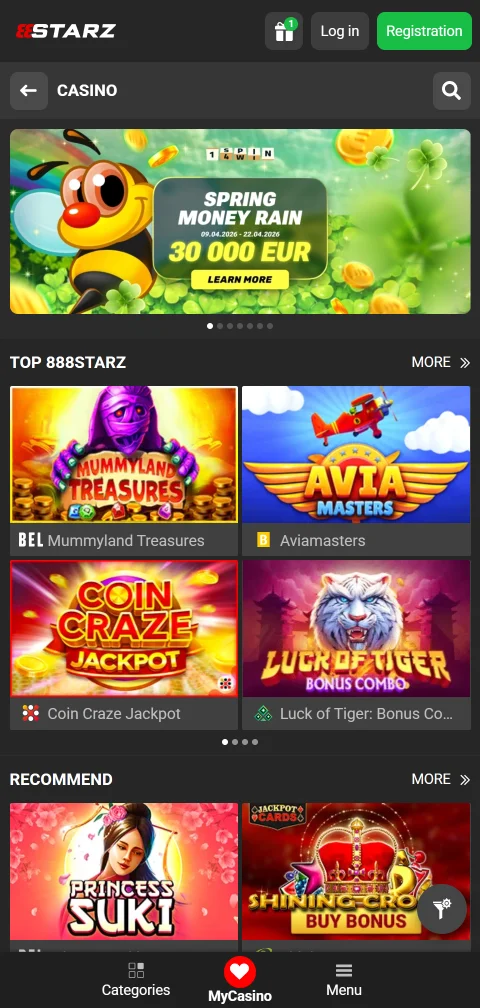
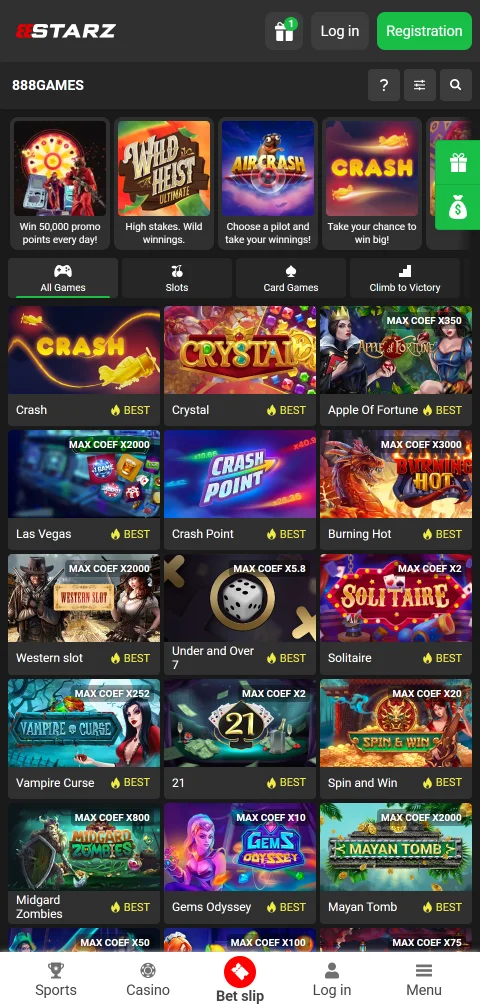

- Library of 4,000-plus slots, tables, and live dealer titles.
- 50-plus supported cryptocurrencies with zero house-imposed fees.
- Withdrawals approved within 24 hours once verified.
- Curacao licence OGL/2024/665/0201 is published and independently verifiable.
- Live chat support responds in under two minutes, 24/7.
- 40x wagering requirement on the welcome bonus must clear within 7 days.
- No AGCO or iGaming Ontario registration for provincially regulated play.
- No published RNG audit certificates outside Spribe's provably fair titles.
- Trustpilot rating sits at 2.4 out of 5 from a small review sample.
This detailed 888Starz Casino review examines the operator through a consumer-style lens rather than a promotional one. We place more weight on what can be verified, including the Curacao licence number and 4,000-plus game count, than on bonus language. For Canadian players, that means checking licence visibility and crypto payment coverage before funding an account.
Seven Casino review
Editor's Choice| Key Feature | No-wagering 10% cashback with broad crypto and Interac banking |
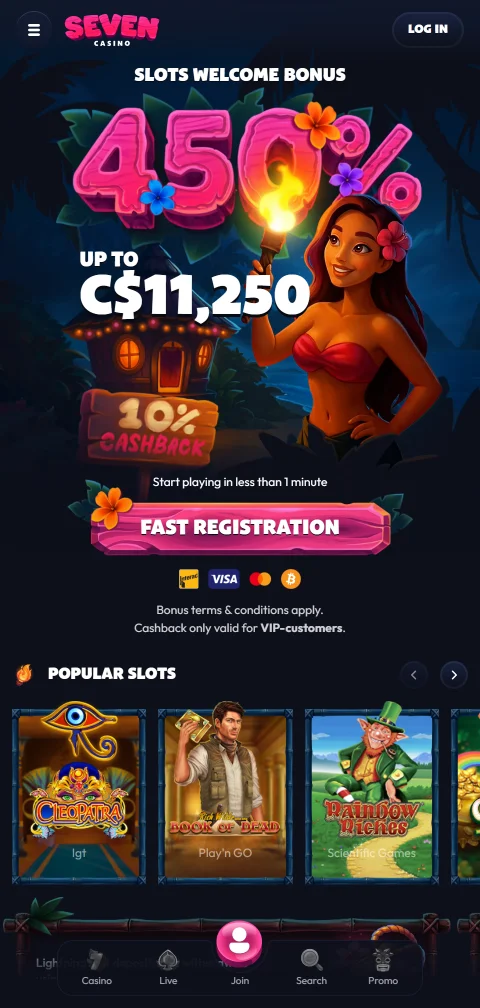
| Welcome Bonus | 10% cashback on losses, no wagering |
| Min. Deposit | about $20 CAD |
| Number of Games | around 2,500 games |
| Game Providers | Pragmatic Play, Evolution, Wazdan, Hacksaw, Playson (18 total) |
| Payment Methods | Cards, e-wallets, bank transfer, crypto, Klarna (25 total) |
| Payment Services | Visa, Mastercard, Interac, Skrill, Neteller, Bitcoin, Klarna |
| Mobile App | Mobile browser only, iOS and Android compatible |
| VIP Program | Daily and weekly promotions for existing players |
| RTP | around 96% average across slots |
| License | Anjouan Gaming, Comoros |
| Operator | Rabocse Sociedad de Responsabilidad Limitada |
| Launch Date | 2023 |
| Legal Age | 18+ |
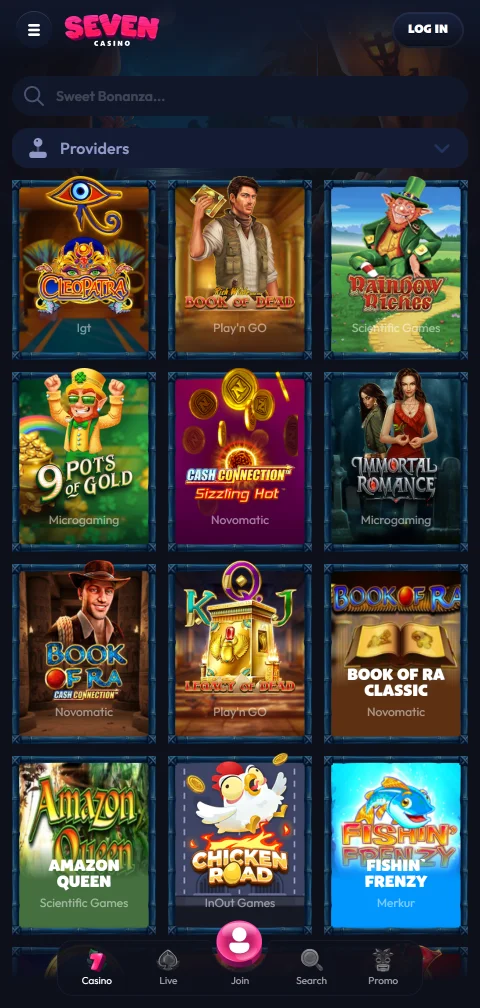

- Around 2,500 games with Evolution live tables and 18 studios.
- 25 banking methods including Interac, Klarna, and major crypto.
- 10% cashback carries no wagering and instant withdrawal of returns.
- Browser build keeps the full lobby on iPhone and Android.
- Support runs 24/7 across 12 languages, rated good by third parties.
- Anjouan (Comoros) licence offers weak player recourse.
- Very low independent Safety Index of 1.5 signals real risk.
- High volume of denied-payout complaints on record since 2023.
- Withdrawals capped at EUR 1,000 per day and EUR 2,000 weekly.
Seven Casino overview material points to a 2023-launched offshore setup owned by Rabocse S.R.L.: mixed slots, tables, and browser-based mobile access. Our Seven Casino overview weighs whether its 25 payment methods and 24/7 multilingual support are strong enough for Canada players once the payout complaints are factored in.
Dazard Casino review
Editor's Choice| Key Feature | 4,000+ games from 15+ studios |
| Welcome Bonus | 150% up to C$7,875 + 325 FS |
| Min. Deposit | $20 CAD |
| Number of Games | 4,000+ games |
| Game Providers | Pragmatic Play, Evolution, Microgaming, Betsoft |
| Payment Methods | Cards, e-wallets, Interac, crypto |
| Payment Services | Visa, Mastercard, Skrill, Neteller, Interac |
| Mobile App | HTML5 browser; no native app |
| VIP Program | DAZ points loyalty programme |
| RTP | Around 96% average |
| License | Curaçao eGaming, Dama N.V. |
| Operator | Dama N.V., Curaçao |
| Launch Date | 2021 |
| Legal Age | 18+ |

- Confirmed Curaçao licence held by Dama N.V.
- Interac and crypto both supported for Canadians
- Near-instant e-wallet and crypto payout processing
- Evolution-powered live tables alongside 4,000+ titles
- Wagering sits at a steep 40x on the welcome bonus
- Bank transfer and card withdrawals can take several days
- No dedicated native mobile app is offered
Our detailed Dazard Casino review highlights the gap between stated welcome bonus terms and the wagering rules that matter in practice.
How We Test Apple Pay Casinos for Canadian Players
We run hands-on deposits and cash-outs on iOS devices, timing each stage from cashier selection to fund availability. Our checks reflect real Canadian conditions, from CAD processing to identity verification under provincial rules.
Apple Pay Deposits
We fund accounts from the $5 to $10 minimum using a Visa or Mastercard linked in Apple Wallet, timing the flow from cashier tap to balance update. Every deposit we verified credited instantly after Face ID or Touch ID approval, with no fee from Apple or the operator. We confirm CAD processing without conversion charges and flag any device-specific prompt that stalls the confirmation screen.
Withdrawals & Payouts
Apple Pay is deposit-first, so we test the payout it actually routes to. Most cashiers send winnings to Interac e-Transfer, bank transfer, or an e-wallet after identity checks. Timed at licensed sites, Interac cash-outs cleared in roughly 18 to 36 hours on weekdays, longer across statutory holidays when banks pause processing. We note first-withdrawal KYC holds that add hours.
Games & Software
After funding, we load slots, blackjack, and live dealer tables to gauge performance on iPhone and iPad. Titles from providers such as NetEnt, Play’n GO, and Evolution render smoothly in mobile Safari. We prioritise catalogues where quick-loading games suit short sessions, checking that instant deposits translate into immediate play without cashier lag.
UX & Mobile
We trace the path from registration to cashier on Safari, the browser Apple Pay depends on. Clean flows surface the Apple Pay button without menu hunting, and the double-click confirmation feels native. We flag friction such as passcode fallbacks or layouts that bury the payment option, since mobile-first Canadians expect a two-tap deposit.
Trust & Licensing
We verify an AGCO iGaming Ontario or MGA licence before rating any site, then check SSL/TLS encryption and PCI-DSS handling. Tokenization means the casino receives a one-time code, never your card number, and each payment needs biometric approval. We confirm the operator publishes its licence details and responsible gambling tools clearly.
Customer Support
We open live chat and email tickets about payment issues, logging reply speed and accuracy. Strong desks answer chat in under 5 minutes and email within 24 hours, with 24/7 coverage for time-sensitive deposit questions. We test whether agents can explain the Apple Pay withdrawal reroute clearly rather than deflecting.


888Starz Casino
Four-stage welcome packageEditor's Choice
Seven Casino
Cashback welcome offerEditor's Choice
Rizzio Casino
Three-part welcome packageEditor's ChoiceWhat to Expect from Apple Pay Casinos
Apple Pay delivers instant casino deposits by tokenizing a card linked in your iPhone or iPad wallet, so the operator never touches your real card number. Canadian minimums usually start at $5 to $10, funds credit in seconds after biometric approval, and CAD processing avoids conversion fees. The important asymmetry: it is a deposit method, not a payout one, so winnings return through Interac, bank transfer, or an e-wallet after verification. Tokenization aligns with PCI-DSS handling, which suits mobile-first players.
Device Compatibility
Apple Pay runs on iPhone models with Face ID or Touch ID, plus iPad, Mac, and a paired Apple Watch that confirms via a side-button double-click. The Wallet app links Visa or Mastercard from banks like RBC, TD, and Scotiabank in about two minutes. Web deposits need Safari, though iOS 18 adds third-party browser support through a scanned code.
Transaction Security
Tokenization swaps your card number for a one-time code, so a leaked casino database exposes nothing usable. Every payment requires Face ID or Touch ID, adding a layer beyond passwords. Neither Apple nor the operator charges a deposit fee, but a credit card linked to the wallet risks a cash-advance charge, so a debit card is the safer funding source under Canadian KYC checks.
How to Deposit with Apple Pay
Depositing takes seconds once your Wallet holds a verified card and you open the cashier in Safari. Select Apple Pay, enter an amount above the $5 minimum, and confirm with a glance or a fingerprint. The funds credit immediately, ready for slots or tables, and Canadian debit cards process in CAD with no exchange fee. On-screen prompts mirror any standard card deposit, so the learning curve is minimal.
Pre-Deposit Setup
Open Wallet, tap the plus icon, then scan or type your debit card and verify it through your bank’s SMS code. The whole setup runs about two to five minutes the first time. Update to the latest iOS for current security patches, and confirm the operator lists Apple Pay in its cashier before you register.
Apple Pay Deposit Steps
Follow these steps for a reliable deposit at any casino that supports Apple Pay in Canada.
- Step 1
Open the Cashier
Sign in to your casino account on iPhone or iPad using Safari, since Apple Pay depends on it for web deposits. Go to the banking or deposit section and pick Apple Pay, usually listed beside Interac and cards. Enter an amount at or above the $5 minimum. - Step 2
Select Your Card
If your Wallet holds several cards, choose the one you want, ideally a debit card to avoid credit cash-advance charges. Set the deposit value, often via preset buttons like $20 or $50. Review the summary confirming no fee and instant crediting before proceeding. - Step 3
Confirm with Biometrics
Approve using Face ID, a Touch ID press, or your passcode as fallback. A one-time token is sent to the operator, so your card number stays private. A short vibration confirms approval and the funds appear in your balance within seconds, ready to wager. - Step 4
Verify Your Balance
Refresh the account balance to confirm the deposit landed, then start playing slots or tables right away. Note any promotion tied to the deposit method, since some offers exclude certain payment types. The receipt saves automatically in your Apple Wallet history for records. - Step 5
Fix a Declined Deposit
If a deposit fails, check your card's daily limit or call the issuing bank, since most declines happen bank-side. Clear the Safari cache or restart the device if the prompt does not load. Live chat resolves most Apple Pay issues within a few minutes for Canadian players.
Apple Pay Features Quick Reference
This snapshot summarises how Apple Pay behaves at Canadian casinos so you can match the method to your needs. The figures reflect standard implementations across AGCO iGaming Ontario and MGA-licensed platforms. Speeds, limits, and the withdrawal reroute matter most when planning a session.
Processing Times
Deposits credit instantly after biometric approval, while payouts route to Interac and clear in roughly 18 to 36 hours on weekdays. Tokenization adds no delay to the deposit itself. That funding speed beats a traditional bank transfer of one to three business days, which is why iOS players favour it.
| Feature | Details | Canada Notes | Time |
|---|---|---|---|
| Min Deposit | $5-$10 | Matches linked card, CAD | Instant |
| Max Deposit | Set by card issuer | No wallet cap | Instant |
| Withdrawals | Reroute to Interac/bank | Rarely to card | 18-36 hrs |
| Fees | None from Apple/casino | Credit = cash advance risk | N/A |
| Devices | iPhone, iPad, Watch, Mac | Safari for web | Biometrics |
Withdrawal Reality with Apple Pay
Apple Pay rarely returns money to the wallet, so plan your payout before the first deposit. Most Canadian cashiers direct winnings to Interac e-Transfer, bank transfer, or an e-wallet once identity checks clear. Interac payouts typically settle in 18 to 36 hours on weekdays, with statutory holidays adding a day since banks pause processing. Choosing an operator by its verified payout speed matters far more than a slick deposit screen.
Requesting a Payout
Open the cashier, choose a withdrawal method such as Interac, and enter an amount within the site’s limits. Upload ID on a first cash-out to satisfy KYC. Processing usually begins within 24 to 48 hours, and you can track status in your account history until the transfer completes.
Common Delays
Unverified accounts trigger KYC holds, resolved by submitting a valid ID, while first withdrawals added 2 hours to 3 business days in our checks. Weekend requests roll to the next banking day, and high-traffic periods stretch queues. Contact support for a status update and expect email confirmation at each stage.
Practical Tips for Apple Pay Users
A few habits keep Apple Pay deposits smooth and your bankroll controlled. These apply across AGCO iGaming Ontario and MGA-licensed sites accessible in Canada. Focus on the right funding card, the Safari requirement, and a plan for the Interac payout.
Optimising Setup
Link a debit card rather than credit to sidestep cash-advance interest, and set it as the Wallet default. Turn on transaction notifications for instant approval alerts, update iOS for security patches, and run a small $10 test deposit before committing larger amounts.
Avoiding Pitfalls
Match the cardholder name and address to your casino profile to clear KYC without friction. Use Safari for web deposits, clear the cache if the Apple Pay prompt stalls, and watch your card’s daily limit, since the issuer, not the casino, causes most declines.
Daily Best Practices
Set a deposit budget before each session and review card statements weekly to track spending. Pair Apple Pay with the casino’s limit and reality-check tools. Line up Interac e-Transfer for withdrawals in advance, so cashing out never catches you unprepared.
How to Gamble Responsibly in Canada
Treat gambling as paid entertainment, never a way to earn income, and set firm money and time limits before you open the cashier. Because Apple Pay funds an account in seconds, that instant convenience makes pre-set deposit caps and session timers more important, not less. Use the reality-check reminders and cooling-off periods that AGCO iGaming Ontario and MGA operators are required to provide, and never chase losses by topping up a spent balance.
Watch for warning signs such as hiding play, borrowing to gamble, or betting more to feel the same thrill. Self-exclusion tools can pause your access for a fixed period, and confidential help is free across Canada. In Ontario, ConnexOntario answers 24/7 at 1-866-531-2600 in 170 languages; other provinces run their own helplines. Reaching out early keeps play in proportion to the rest of your life.
Next Steps for Apple Pay Casino Play
The withdrawal asymmetry is the single fact most guides bury, reviewed 10 September 2026. Apple Pay deposits, but Interac cashes out in Canada. Set up your e-Transfer details early, complete KYC once, and you avoid the first-payout delay of up to three business days. Choose operators that verify quickly and pay predictably rather than promise the impossible.
Apple Pay Casinos: Practical Questions Answered
How do I start using Apple Pay at casinos?
Add a verified debit card in the Wallet app, open the casino in Safari, then select Apple Pay at the cashier and confirm with Face ID. Setup takes about 2 minutes and deposits credit instantly.
What are the steps for an Apple Pay deposit?
Log in, open the cashier, choose Apple Pay, enter an amount at or above the $5 minimum, and approve with Touch ID or Face ID. Funds appear in your balance within seconds, ready to play.
What do I need to use Apple Pay at a casino?
You need an iPhone or iPad with Face ID or Touch ID, a linked Visa or Mastercard, and Safari for web deposits. iOS 18 also supports third-party browsers through a scanned QR code.
Can I withdraw my winnings to Apple Pay?
Rarely. Most Canadian casinos treat Apple Pay as deposit-only and reroute payouts to Interac e-Transfer or bank transfer after KYC, typically clearing in 18 to 36 hours on weekdays.
Are there fees for Apple Pay casino deposits?
Neither Apple nor the casino charges a fee, so a $50 deposit stays $50. The only cost risk is using a credit card, which an issuer may treat as a cash advance with immediate interest.
What are the deposit limits with Apple Pay?
Minimums usually run $5 to $10, matching the linked card, and the maximum follows your card issuer’s own cap rather than a wallet limit. Check the cashier for each site’s exact figures.
Is Apple Pay safe for casino transactions?
Yes. Tokenization sends the operator a one-time code instead of your card number, and every payment needs biometric approval. Always confirm the operator holds an AGCO iGaming Ontario or MGA licence.
Which Canadian casinos accept Apple Pay?
Acceptance is widest in Ontario’s regulated market, where several iGaming Ontario operators list it beside Interac with $5 minimums. Newer brands elsewhere in Canada increasingly support it too.
More about online casinos




This selection highlights CAD efficiency. Turn on Wallet notifications, since they log every $20 or $50 deposit cleanly and make weekly budget tracking almost automatic.